'%3e%3ccircle%20cx='364.997'%20cy='364.997'%20r='364.997'%20transform='matrix(-1%200%200%201%201129.99%20400)'%20fill='%23FFDB1B'/%3e%3c/g%3e%3cdefs%3e%3cfilter%20id='filter0_f_2422_78141'%20x='0'%20y='0'%20width='1529.99'%20height='1529.99'%20filterUnits='userSpaceOnUse'%20color-interpolation-filters='sRGB'%3e%3cfeFlood%20flood-opacity='0'%20result='BackgroundImageFix'/%3e%3cfeBlend%20mode='normal'%20in='SourceGraphic'%20in2='BackgroundImageFix'%20result='shape'/%3e%3cfeGaussianBlur%20stdDeviation='200'%20result='effect1_foregroundBlur_2422_78141'/%3e%3c/filter%3e%3c/defs%3e%3c/svg%3e)
'%3e%3ccircle%20cx='364.997'%20cy='364.997'%20r='364.997'%20transform='matrix(-1%200%200%201%201129.99%20400)'%20fill='%233C0197'/%3e%3c/g%3e%3cdefs%3e%3cfilter%20id='filter0_f_2422_78145'%20x='0'%20y='0'%20width='1529.99'%20height='1529.99'%20filterUnits='userSpaceOnUse'%20color-interpolation-filters='sRGB'%3e%3cfeFlood%20flood-opacity='0'%20result='BackgroundImageFix'/%3e%3cfeBlend%20mode='normal'%20in='SourceGraphic'%20in2='BackgroundImageFix'%20result='shape'/%3e%3cfeGaussianBlur%20stdDeviation='200'%20result='effect1_foregroundBlur_2422_78145'/%3e%3c/filter%3e%3c/defs%3e%3c/svg%3e)
'%3e%3cpath%20d='M400%201055.74C400%201417.89%20693.584%201711.48%201055.74%201711.48C1417.89%201711.48%201711.48%201417.89%201711.48%201055.74C1711.48%20693.584%201417.89%20400%201055.74%20400C693.584%20400%20400%20693.584%20400%201055.74Z'%20fill='%2344474D'/%3e%3cpath%20d='M400%201055.74C400%201417.89%20693.584%201711.48%201055.74%201711.48C1417.89%201711.48%201711.48%201417.89%201711.48%201055.74C1711.48%20693.584%201417.89%20400%201055.74%20400C693.584%20400%20400%20693.584%20400%201055.74Z'%20fill='white'/%3e%3cpath%20d='M400%201055.74C400%201417.89%20693.584%201711.48%201055.74%201711.48C1417.89%201711.48%201711.48%201417.89%201711.48%201055.74C1711.48%20693.584%201417.89%20400%201055.74%20400C693.584%20400%20400%20693.584%20400%201055.74Z'%20fill='%2379EFDB'/%3e%3c/g%3e%3cdefs%3e%3cfilter%20id='filter0_f_2422_78143'%20x='0'%20y='0'%20width='2111.48'%20height='2111.48'%20filterUnits='userSpaceOnUse'%20color-interpolation-filters='sRGB'%3e%3cfeFlood%20flood-opacity='0'%20result='BackgroundImageFix'/%3e%3cfeBlend%20mode='normal'%20in='SourceGraphic'%20in2='BackgroundImageFix'%20result='shape'/%3e%3cfeGaussianBlur%20stdDeviation='200'%20result='effect1_foregroundBlur_2422_78143'/%3e%3c/filter%3e%3c/defs%3e%3c/svg%3e)
Take smarter notes
Handwrite, type, sketch, annotate — then convert, search and study with generative AI.

'%3e%3ccircle%20cx='643.5'%20cy='643.5'%20r='643.5'%20transform='matrix(-1%200%200%201%202087%20800)'%20fill='%23F96192'/%3e%3c/g%3e%3cdefs%3e%3cfilter%20id='filter0_f_2721_116261'%20x='0'%20y='0'%20width='2887'%20height='2887'%20filterUnits='userSpaceOnUse'%20color-interpolation-filters='sRGB'%3e%3cfeFlood%20flood-opacity='0'%20result='BackgroundImageFix'/%3e%3cfeBlend%20mode='normal'%20in='SourceGraphic'%20in2='BackgroundImageFix'%20result='shape'/%3e%3cfeGaussianBlur%20stdDeviation='400'%20result='effect1_foregroundBlur_2721_116261'/%3e%3c/filter%3e%3c/defs%3e%3c/svg%3e)
Your handwriting
AI notepad
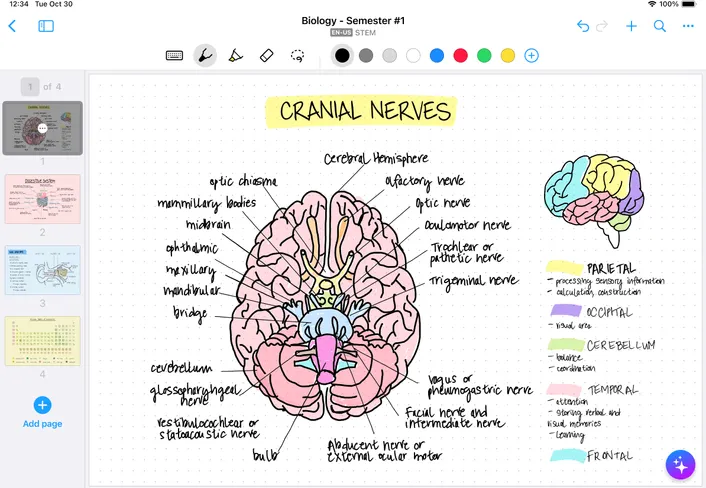
Powered by interactive ink, MyScript Notes (formerly Nebo) understands your handwriting and helps you create and write as naturally as you think.
'%3e%3ccircle%20cx='364.997'%20cy='364.997'%20r='364.997'%20transform='matrix(-1%200%200%201%201329.99%20600)'%20fill='%233C0197'/%3e%3ccircle%20cx='364.997'%20cy='364.997'%20r='364.997'%20transform='matrix(-1%200%200%201%201329.99%20600)'%20fill='%23FFDB1B'/%3e%3c/g%3e%3cdefs%3e%3cfilter%20id='filter0_f_2721_119158'%20x='0'%20y='0'%20width='1929.99'%20height='1929.99'%20filterUnits='userSpaceOnUse'%20color-interpolation-filters='sRGB'%3e%3cfeFlood%20flood-opacity='0'%20result='BackgroundImageFix'/%3e%3cfeBlend%20mode='normal'%20in='SourceGraphic'%20in2='BackgroundImageFix'%20result='shape'/%3e%3cfeGaussianBlur%20stdDeviation='300'%20result='effect1_foregroundBlur_2721_119158'/%3e%3c/filter%3e%3c/defs%3e%3c/svg%3e)
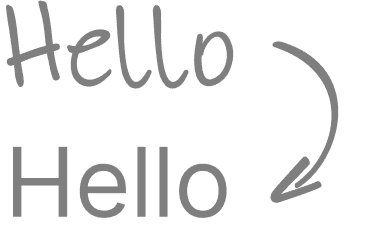
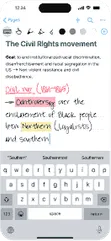
Convert handwriting to text
Take notes freely and easily with your pen, then convert handwriting to typed text, ready to share.
Edit with pen gestures
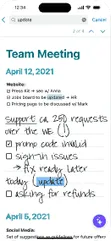
Edit in real-time using natural pen gestures like scratching out to erase or underlining to emphasize.

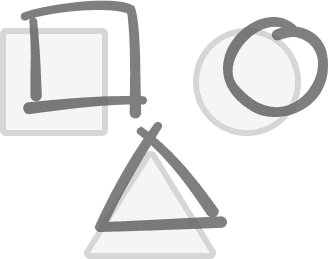
Draw perfect shapes
Hold your pen to the screen after drawing lines and shapes to convert them to perfect forms.
Study like a pro with gen AI
Designed with students in mind, MyScript Notes boosts how you take notes and study, with generative AI that fits the way you work.


7
50
Which renewable energy source harnesses power from the ground?
Get instant AI help
Summarize
Get straight to the main ideas by turning long notes or readings into clear summaries.
Explain
Select any term or phrase to get a clear explanation — ready to paste into your notes.
Quiz
Turn any note into a quiz in seconds — true/false or multiple choice, your call.
Chat
Think ChatGPT with your pen — perfect for quick questions or deep dives.
Practice with AI study sets
With MyScript Notes, revision becomes interactive and engaging thanks to AI study sets — helping you remember more and feel confident for the year ahead. Available on iOS, coming soon on Android.
'%3e%3crect%20x='1341.55'%20y='861.964'%20width='387.909'%20height='486.783'%20rx='78.0508'%20transform='rotate(119.556%201341.55%20861.964)'%20fill='%2383FFEA'/%3e%3crect%20x='1225.63'%20width='526.935'%20height='661.246'%20rx='78.0508'%20transform='rotate(75.3811%201225.63%200)'%20fill='url(%23paint0_linear_2593_78621)'/%3e%3crect%20x='787.05'%20y='784.625'%20width='476.967'%20height='598.542'%20rx='78.0508'%20transform='rotate(119.556%20787.05%20784.625)'%20fill='%23FFDB1B'/%3e%3crect%20x='579.728'%20y='35.478'%20width='461.518'%20height='579.154'%20rx='78.0508'%20transform='rotate(90%20579.728%2035.478)'%20fill='%234808AB'/%3e%3cpath%20d='M794.311%20657.054C752.6%20667.933%20709.968%20642.941%20699.088%20601.23L605.494%20242.402C602.275%20230.06%20602.197%20217.638%20604.763%20205.982L1058.64%20210.085C1116.12%20210.604%201162.29%20257.617%201161.77%20315.09L1159.54%20561.791L794.311%20657.054Z'%20fill='%23FF17A6'/%3e%3cpath%20d='M719.155%20744.819C756.653%20766.082%20769.813%20813.717%20748.55%20851.214L676.923%20977.529L276.115%20973.907C218.642%20973.387%20172.472%20926.374%20172.992%20868.902L174.978%20649.288L227.892%20555.973C249.155%20518.476%20296.789%20505.316%20334.286%20526.579L719.155%20744.819Z'%20fill='url(%23paint1_linear_2593_78621)'/%3e%3cpath%20d='M579.727%20418.929C579.727%20462.035%20544.783%20496.98%20501.677%20496.981L176.357%20496.98L178.081%20306.207C178.6%20248.735%20225.612%20202.564%20283.085%20203.084L579.728%20205.765L579.727%20418.929Z'%20fill='%238A3EFF'/%3e%3cpath%20d='M1156.68%20877.769C1156.16%20935.241%201109.15%20981.411%201051.68%20980.891L771.954%20978.362C752.823%20954.184%20749.121%20919.869%20765.266%20891.398L879.608%20689.754C900.871%20652.257%20948.506%20639.097%20986.003%20660.359L1157.77%20757.759L1156.68%20877.769Z'%20fill='%237BEDDE'/%3e%3c/g%3e%3cdefs%3e%3clinearGradient%20id='paint0_linear_2593_78621'%20x1='1489.1'%20y1='0'%20x2='1489.1'%20y2='661.246'%20gradientUnits='userSpaceOnUse'%3e%3cstop%20stop-color='%23FD72A7'/%3e%3cstop%20offset='1'%20stop-color='%23FDB755'/%3e%3c/linearGradient%3e%3clinearGradient%20id='paint1_linear_2593_78621'%20x1='688.348'%20y1='814.858'%20x2='159.538'%20y2='767.127'%20gradientUnits='userSpaceOnUse'%3e%3cstop%20stop-color='%23FFCE5A'/%3e%3cstop%20offset='1'%20stop-color='%23FFB934'/%3e%3c/linearGradient%3e%3cclipPath%20id='clip0_2593_78621'%3e%3crect%20width='1199.53'%20height='1358.63'%20fill='white'%20transform='translate(1358.63)%20rotate(90)'/%3e%3c/clipPath%3e%3c/defs%3e%3c/svg%3e)




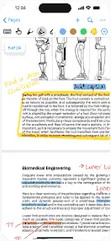
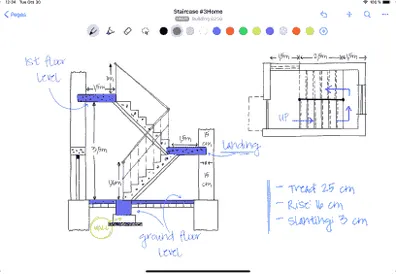
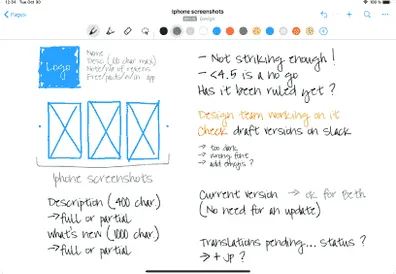

Whiteboard.
Notebook.
Organizer.
MyScript Notes offers four note formats — notebooks, documents, boards, and PDFs — each tailored to different needs and note-taking styles.
Notebook
Create unlimited notebooks with fixed-size pages for your daily notes, and personalize covers to stay organized. You can also customize pages by choosing the size, orientation, paper color, and pattern that work best for you.
Board
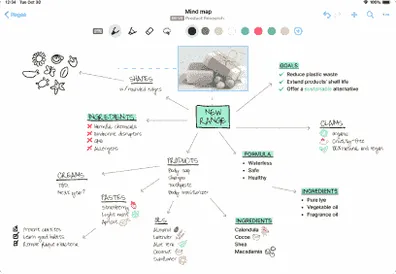
Designed for visual note-taking and quick ideas, the board is an expandable canvas where you can focus on your thoughts. Enjoy a freeform digital whiteboard that lets you create freely, with write-to-text and shape conversion built in.
Document
The document helps you structure content that adapts automatically as you change the layout or screen orientation. Edit with pen gestures, add titles, checklists, math, and diagrams — then turn it all into clean text and perfect shapes, ready to share.
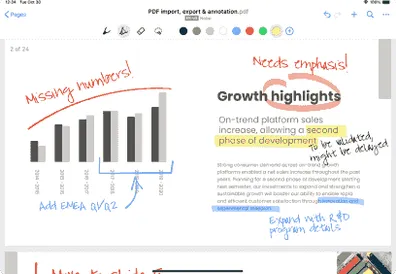
Import your files into MyScript Notes as multi-page PDFs, so everything stays in one place — perfectly organized. Jump from page to page, review and annotate freely with your pen — your notes stay editable and searchable.
Perfect with Apple Pencil
Nader82Dr
A great note-taking app for iPad and Apple Pencil. Simple to use but at the same time with a lot of useful tools to write notes & sketchs and export them to other apps.
Potato128
I’ve used this app for note taking for nearly 3 years and I could never imagine using a different one. It is absolutely perfect for every single one of my needs.
Marlena Yugi
It's amazing 🫢😍 I really looked for an app like this for a long time and I finally found it. I love it!
Cyanide’sGuild
Excellent app, perfect for people like me who don't want to spend hours just learning how it works but want something simple and comprehensive.
pavoroz
A very good app, lots of features, they listen to their users and work on improvements, it's user-friendly, and has some cool features.
Madalena Costa
It's definitely worth it! I've been using it for two years at university, and it works great!
Маруся Тарасенко
The perfect app! I had it on my phone, and now I'm installing it on my tablet for taking notes! Super!
Auty Addeo
Always available support, a top app for quick and organized notes. I wouldn't trade it for any other app.
Paty 2021
I'm loving using it, it helps me a lot in my work with sales where I write everything down and keep everything organized, I recommend the app!
Sergio Franco
I love it, I haven't found any other app that I could use as a notebook and this is the closest to a notebook experience.
widewidewitt
Sensational handwriting recognition! For me, there's nothing better than MyScript Notes, especially because the developers respond to suggestions.
Ismael Aleluya
Very good app, it has everything you need, very efficient.
Camille Toussaint
I've had this app for over a year now and I love it! I have noticed that they actually pay attention to the feedback. I LOVE this app!
Sazyb
Love it, especially for meeting notes, journaling, monthly vision board planning. Being able to annotate PDF word docs and share with teams saves time and paper.
ateneatla
I have tried several note-taking and memoing apps and this is THE BEST of all.
Moctarian
I use it for my studies and it's an incredible tool, customer service is great, they solved the only problem I had very quickly!
Oli Oskar
The handwriting recognition is fantastic. But the best part is the UX of this app. Unlike so many other note taking apps the UI, features and the app it self does not get in the way of actually taking notes in your preferred style.
ftsajal
The app is perfect. Excellent handwriting recognition, AI summarization… You can create quiz from your notes!
Dale Hawley
It is so nice having a tool that doesn't get in the way of the job! I can jump in and take notes FAST without a bunch of hoops.
Arynyogi
The best UI! Notes management system is so minimalist and very good. Easy to navigate. Ink experience is so realistic and good. Overall this is a perfect note taking app.
Yasmin Carvalho
I love it! It really helps me with my studies. That's why I even got a lifetime subscription, as it's helping me with all my academic work and organization.
Fiorenzo Rosa
The best for taking notes. There's also the option to buy it outright!
Yasin Türk
Best note app I've ever had! Support was immediately helpful when I reached out — they quickly fixed the problem I’d been having after some updates.
KIKI0g
The AI-generated test questions make it so much easier to retain information. Super easy and not complicated to use.
All features
The best handwriting recognition
MyScript Notes has the world’s most accurate and reliable handwriting recognition, driven by powerful, ever-evolving AI.
Cloud sync
Sync notes between devices using iCloud (iOS only), Google Drive or Dropbox. Requires a free MyScript account.
Global search
Search your entire library of notes, including handwritten content, diagram text and PDF annotations.
Custom dictionary
Fine-tune MyScript Notes' handwriting recognition by adding custom words and abbreviations to your personal dictionary.
Virtually no lag
Writing in MyScript Notes feels like writing on paper, but with all the flexibility and power of digital content.
Use any pen
MyScript Notes supports writing and drawing with both active and passive pens and styluses.
Pick your pen type
Enjoy more control over the look and feel of your content with a choice of pen types: felt, fountain, brush and highlighter.
Apple silicon compatible
MyScript Notes is compatible with Apple silicon devices, allowing you to access your library on Mac M1/M2 devices.
User interface in 11 languages
The UI is available in English, Simplified Chinese, Traditional Chinese, Spanish, Portuguese, Russian, Japanese, German, Korean, French, and Italian.
Easy export
Export your notes in multiple formats — PDF, PNG, SVG, Word, or Nebo. You can even export multiple pages to a single file.
Paperless organization
Quickly reorganize your library into folders and collections using simple drag-and-drop.
Library backup
Back up your entire library of notes in one go, for maximum security and peace of mind.
Share via web link
Share content by publishing to a unique web link, with full access control. Requires a free MyScript account.
Convert handwriting to text
Write notes by hand, add lists and emoji with your pen, then convert everything to typed text, ready to share.
Lasso
Use the freehand or rectangle lasso to easily select content, ready to move, manipulate, copy, resize and more.
Multi-level lists
Stay on top of tasks and keep your info organized by creating checkable, bulleted and numbered lists with your pen.
Scratch to erase
Effortlessly delete handwriting, text, shapes and other content by scratching it out with your pen.
Edit with pen gestures
Forget buttons and menus: use simple pen gestures to erase content, add or remove space, and format text.
Copy and paste
Copy/paste content between pages or into other apps. When pasting outside MyScript Notes, handwritten content will auto-convert.
Page backgrounds
Choose from a range of page background colors and patterns to help categorize content or simply to suit your preference.
Use pen and keyboard
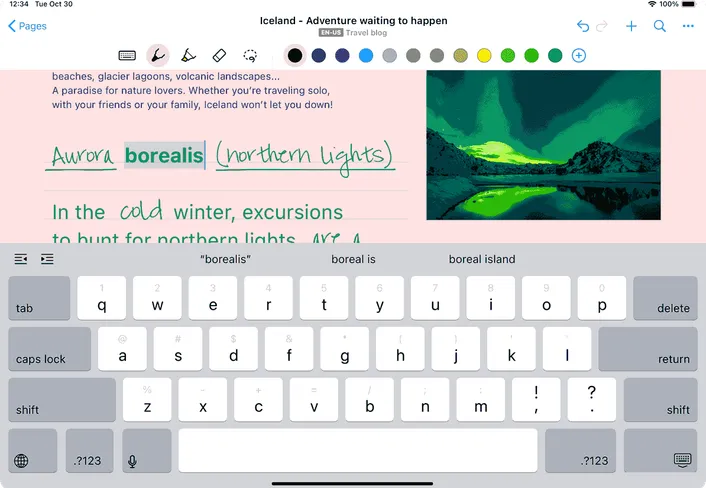
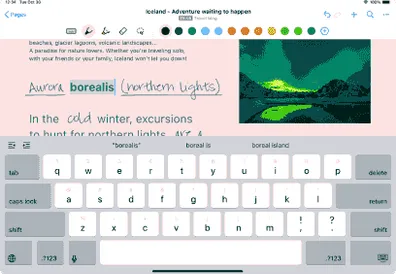
Write with your pen, type with your keyboard, or dictate – even within the same word – without breaking your flow.
Image annotation
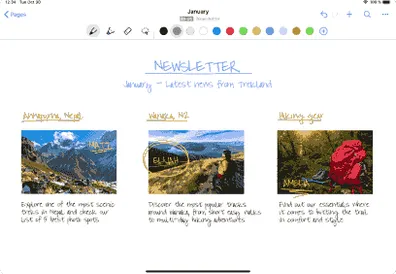
Get visual! Illustrate and enrich your content by inserting, cropping, rotating and annotating images and photos.
Expandable canvas
The board is an endless page that grows with your content, so you never run out of space for your ideas.
Zoom and pan
Zoom in to focus on details, zoom out for a fresh perspective on your content, and pan in any direction to create space for new ideas.
Adaptive Dark Mode
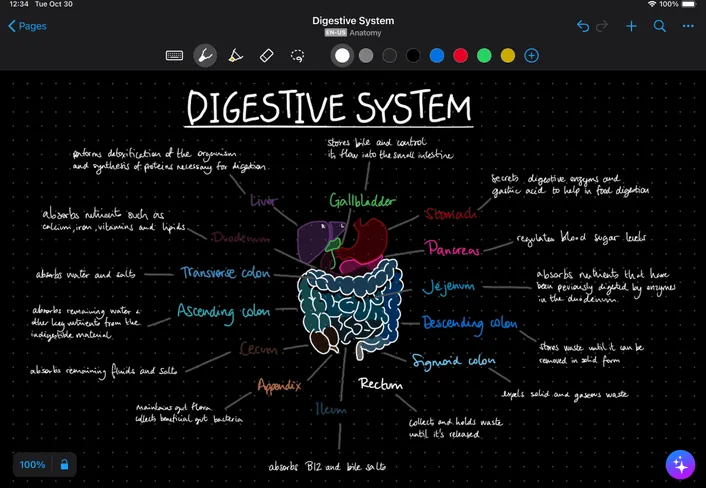
MyScript Notes supports dark mode, optimizing your notes for low-light viewing no matter which background or content colors you're using.
Board sections
Add board sections to documents to write and draw freely, then copy your content between pages or into other apps.
Math solver
Use Math objects to solve simple calculations and to develop equations and matrices across several lines – then copy as images or LaTeX.
Responsive layout
Handwriting, typed text, objects and images adapt automatically to layout changes as you reorient your device or split your screen.
Interactive diagrams
Hand-draw diagrams, reposition elements freely, then convert to typed text and perfect shapes. Diagrams even stay editable in PowerPoint!
Sketch objects
Enrich your Documents with Sketch objects that allow you to draw and create freely.
Perfect shapes
Draw shapes by hand, then hold your pen to the screen to convert them to perfect forms.
Boards
Write, draw, brainstorm: the board is your zoomable creative canvas. Content from boards can be copied between pages and into other apps.
Alignment guides
Smart alignment guides help you to keep content neat, orderly and easy to understand.
Import MS Office files
Import Word documents and PowerPoint presentations as PDFs, then mark them up freely with your pen.
Import PDFs
Bring existing multi-page PDFs into your library, ready to review, annotate and reuse.
Annotate freely
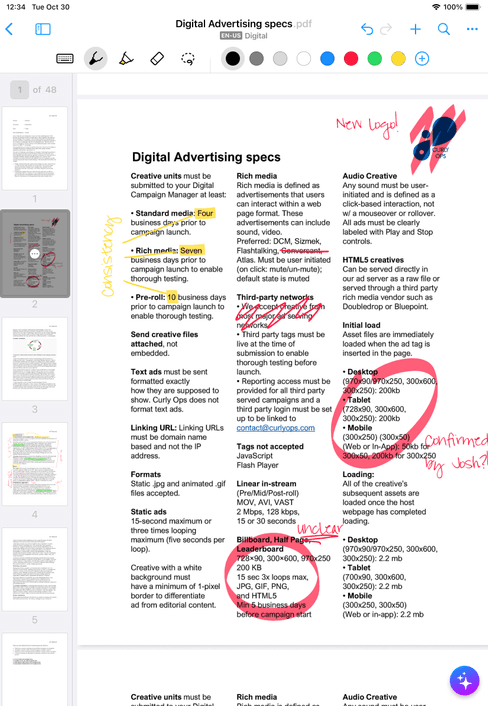
Mark up imported files – highlight, draw, circle key information. When you're done, export with all your annotations in place.
Insider program
Join our Insider program for early access to the most exciting new features and beta trials.
PDF thumbnail sidebar
Easily add, move or delete PDF pages, and swiftly jump to any page by simply tapping its thumbnail.
PDF navigation and performance
Jump to any page by tapping internal links or editing the page-number field, and optimize your PDFs for faster loading and smoother navigation.
Annotations formatting in PDFs
Select an annotation and apply bold, underline or strike-through formatting. You can also transform an annotation into a list.
Trash and recover
Easily recover deleted notes, folders and collections from the trash.
Laser pointer
Highlight ideas live with a glowing laser pointer — no marks left behind. Available on iOS only.
Ruler
Use the ruler to draw straight lines. Drag, rotate, and snap it into place to draw at any angle. Available on iOS only.
66 handwriting recognition languages
Afrikaans, Albanian, Armenian, Azeri, Basque, Belarusian, Bosnian, Bulgarian, Catalan, Cebuano, Chinese Simplified, Chinese Traditional (Hong Kong), Chinese Traditional (Taiwan), Croatian, Czech, Danish, Dutch, English (Canada), English (Philippines), English (South Africa), English (United Kingdom), English (United States), Estonian, Filipino, Finnish, Flemish, French (Canada), French (France), Galician, Georgian, German (Austria), German (Germany), Greek, Hungarian, Icelandic, Indonesian, Irish, Italian, Japanese, Kazakh, Korean, Latvian, Lithuanian, Macedonian, Malagasy, Malay, Mongolian, Norwegian, Polish, Portuguese (Brazil), Portuguese (Portugal), Romanian, Russian, Serbian (Cyrillic), Serbian (Latin), Slovak, Slovenian, Spanish (Colombia), Spanish (Mexico), Spanish (Spain), Swahili, Swedish, Tatar, Turkish, Ukrainian, Vietnamese.
FAQ
Pricing for MyScript Notes may vary depending on your region and ongoing promotions. Check your local App Store or Google Play to know more. And if you previously purchased Nebo, MyScript Notes is yours at no additional cost.
Yes! You can start with a 7-day free trial to get the full experience. Once the trial ends, you can upgrade to keep all features, or continue with a free limited version.
Right now, Android users can enjoy Summarize, Explain and Quiz. The other features — Chat and Study sets — are only available on iOS for now.
MyScript Notes offers single licences on the App Store and Google Play. If your school, business, or organization needs multiple licenses, contact our Sales team.
On iOS and Android, Nebo is now called MyScript Notes. On Windows, it keeps the name Nebo, with full functionality and compatibility so your notes sync across devices. Lifetime purchases remain valid, with no extra charges for existing features.
'%3e%3ccircle%20cx='1350'%20cy='1350'%20r='750'%20fill='%2379EFDB'/%3e%3c/g%3e%3cdefs%3e%3cfilter%20id='filter0_f_2597_78642'%20x='0'%20y='0'%20width='2700'%20height='2700'%20filterUnits='userSpaceOnUse'%20color-interpolation-filters='sRGB'%3e%3cfeFlood%20flood-opacity='0'%20result='BackgroundImageFix'/%3e%3cfeBlend%20mode='normal'%20in='SourceGraphic'%20in2='BackgroundImageFix'%20result='shape'/%3e%3cfeGaussianBlur%20stdDeviation='300'%20result='effect1_foregroundBlur_2597_78642'/%3e%3c/filter%3e%3c/defs%3e%3c/svg%3e)
'%3e%3ccircle%20cx='1263'%20cy='1263'%20r='399'%20fill='%23FFDB1B'/%3e%3c/g%3e%3cdefs%3e%3cfilter%20id='filter0_f_2597_78643'%20x='0.690552'%20y='0.690552'%20width='2524.62'%20height='2524.62'%20filterUnits='userSpaceOnUse'%20color-interpolation-filters='sRGB'%3e%3cfeFlood%20flood-opacity='0'%20result='BackgroundImageFix'/%3e%3cfeBlend%20mode='normal'%20in='SourceGraphic'%20in2='BackgroundImageFix'%20result='shape'/%3e%3cfeGaussianBlur%20stdDeviation='431.655'%20result='effect1_foregroundBlur_2597_78643'/%3e%3c/filter%3e%3c/defs%3e%3c/svg%3e)
MyScript Notes
Take smarter notes with your pen